Михо Хирано — современная японская художница, чьи работы погружают в атмосферу меланхоличного сна и хрупкой красоты. Её стиль характеризуется мягкой, приглушенной пастельной палитрой и деликатными мазками, создающими эффект прозрачности и текучести. В центре её картин — одухотворенные женские образы, которые буквально сливаются с флорой и фауной: волосы превращаются в цветущие ветви, морские водоросли или становятся пристанищем для птиц и бабочек.
Иллюстрации Хирано пронизаны чувством мимолетности и тишины. Несмотря на обилие природных элементов — цветов, ягод и насекомых, — композиции не кажутся перегруженными. Напротив, они выглядят воздушными и невесомыми, благодаря мастерской работе с негативным пространством и мягким градиентам. В её работах чувствуется глубокая связь между человеком и окружающим миром, выраженная через тонкий символизм и эстетику «мори» (лесного стиля).
Наткнувшись на работы Михо Хирано в поисках визуального языка, я был (а) заворожен (а) тем, как ей удается передать хрупкость и спокойствие. Это вдохновило меня на задачу обучить генеративную модель улавливать этот тонкий баланс между реализмом и декоративностью, чтобы создавать изображения, обладающие той же магической, «акварельной» легкостью и глубиной.
Исходные изображения
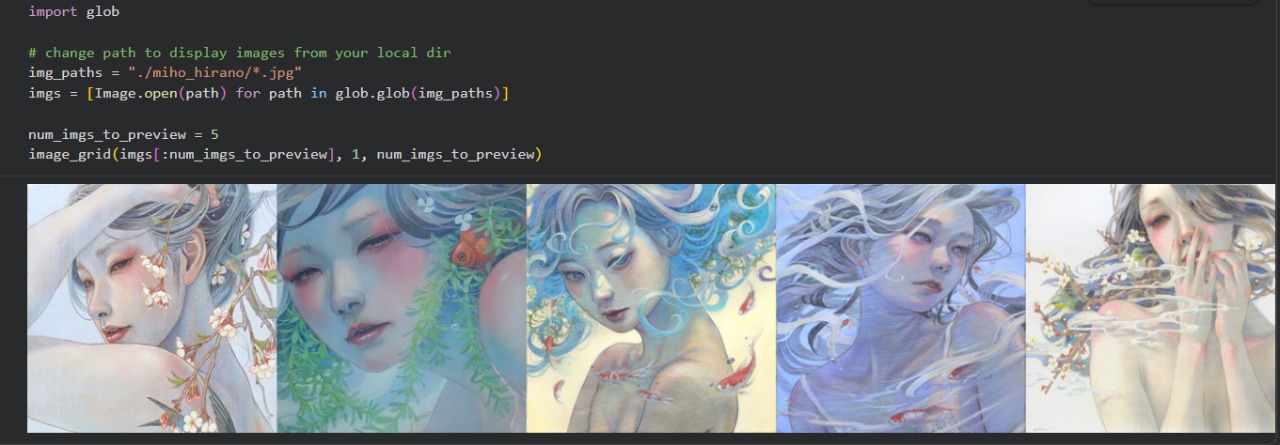
Для работы над проектом было отобрано 150 работ художницы!
Вот некоторые из них.
Обучение модели
0
0
0
0
0
0
0
0
0
0
0
0
0
0
0
0
0
0
0
0
0
0
0
1/11
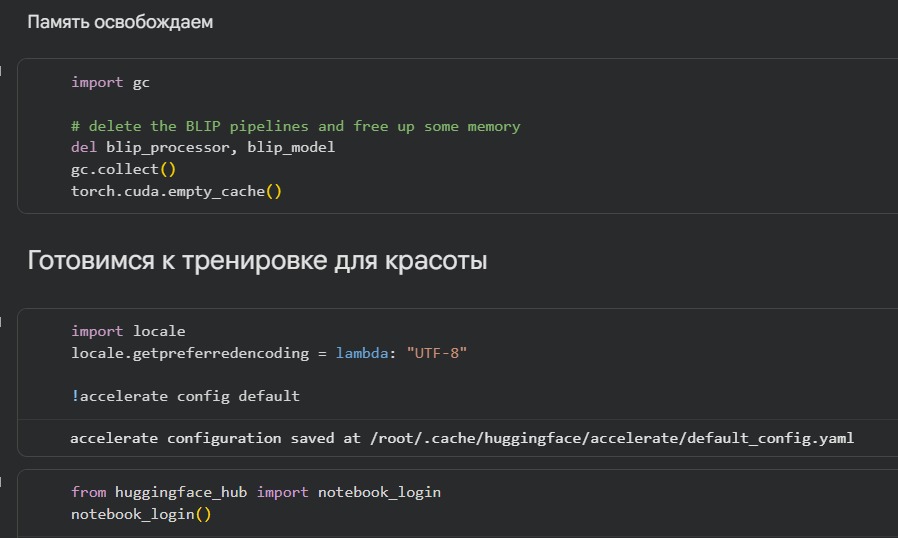
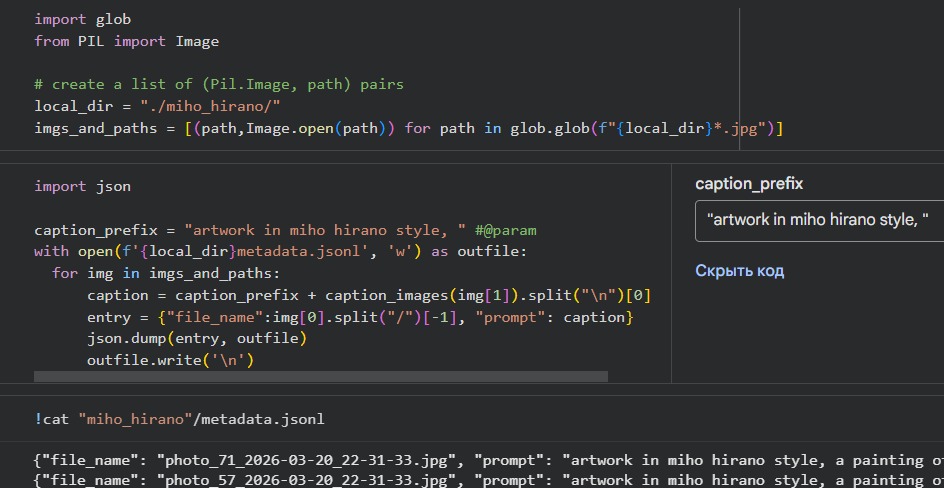
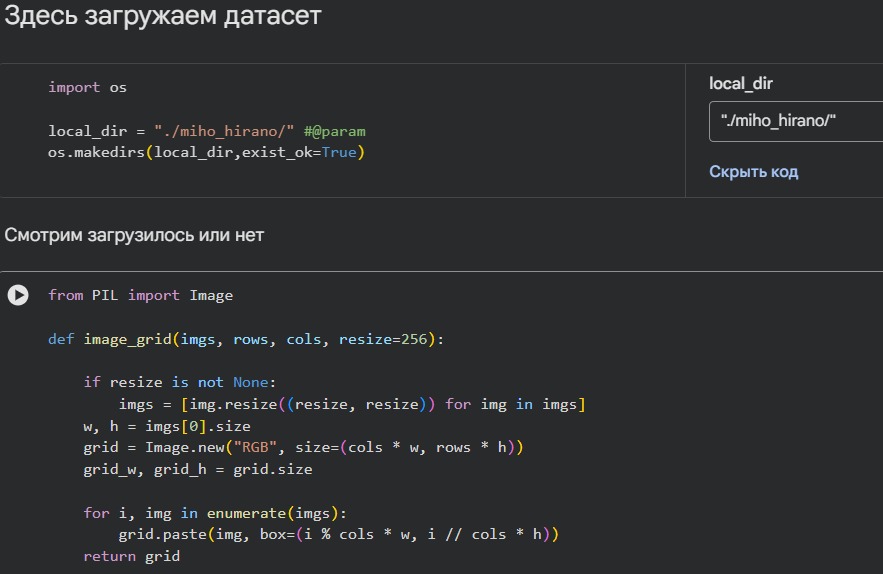
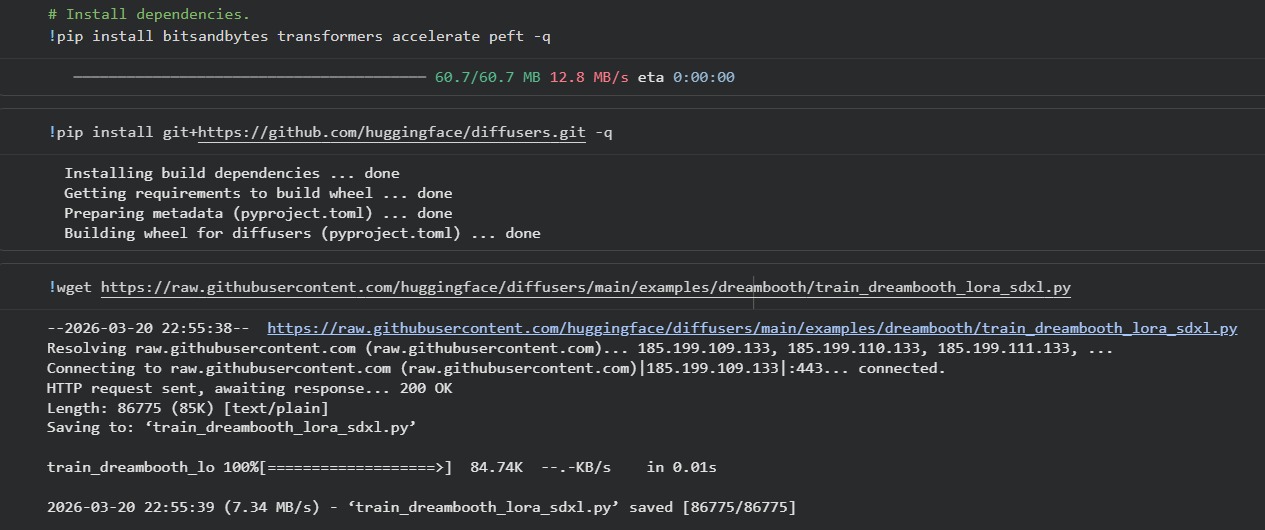
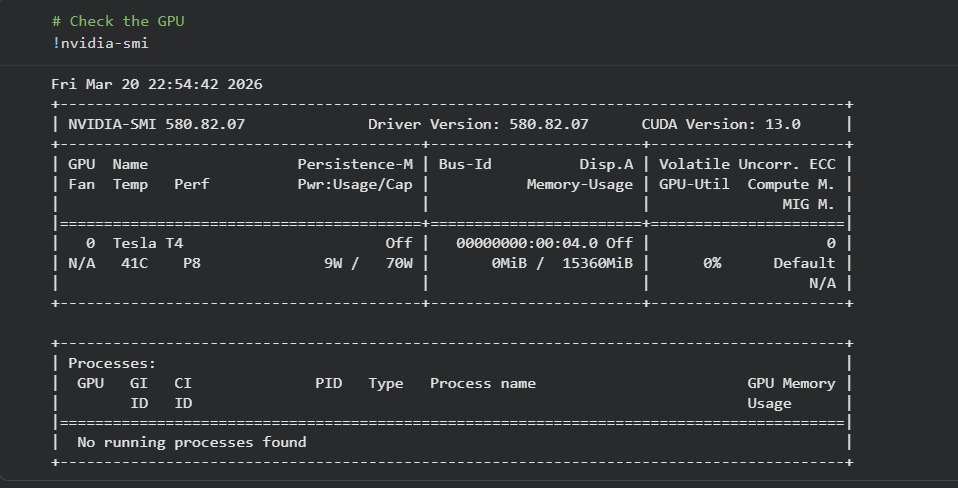
Сначала я импортировала необходимые библиотеки, затем загрузила сами изображения во внутреннюю папку гугл колаба.
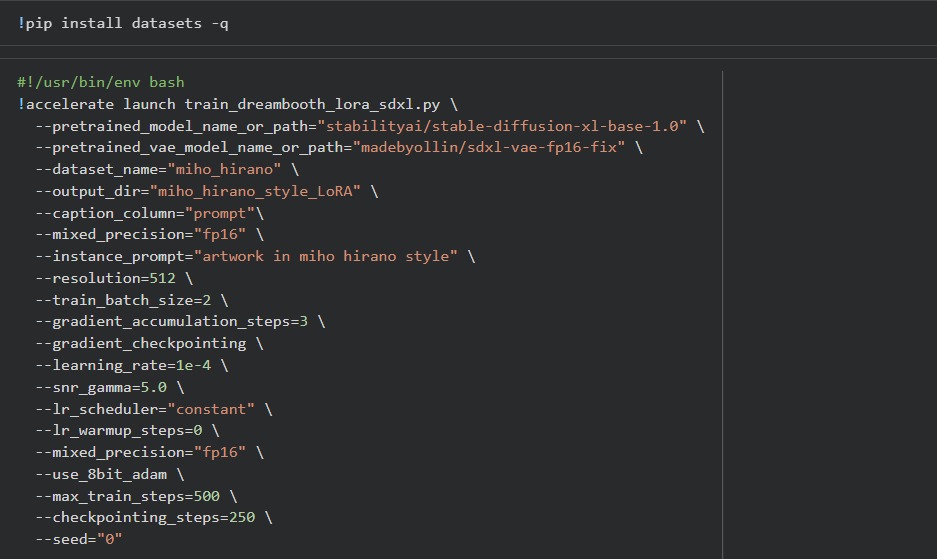
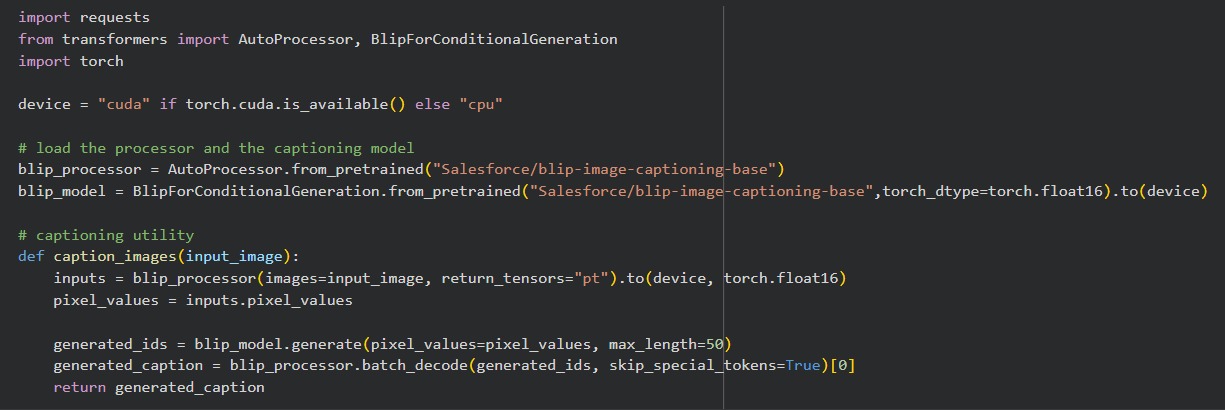
Затем я сгенерировала подписи к изображениям с помощью BLIP, добавила токен для входа в систему Hugging Face, после чего начала обучение модели.
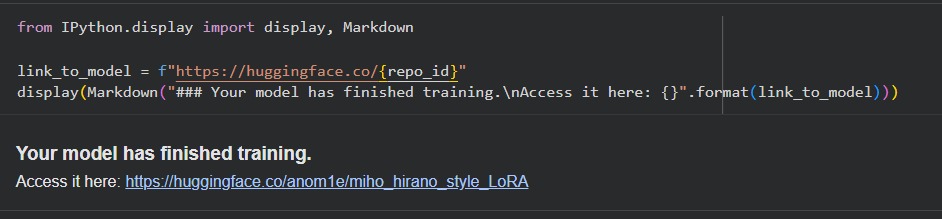
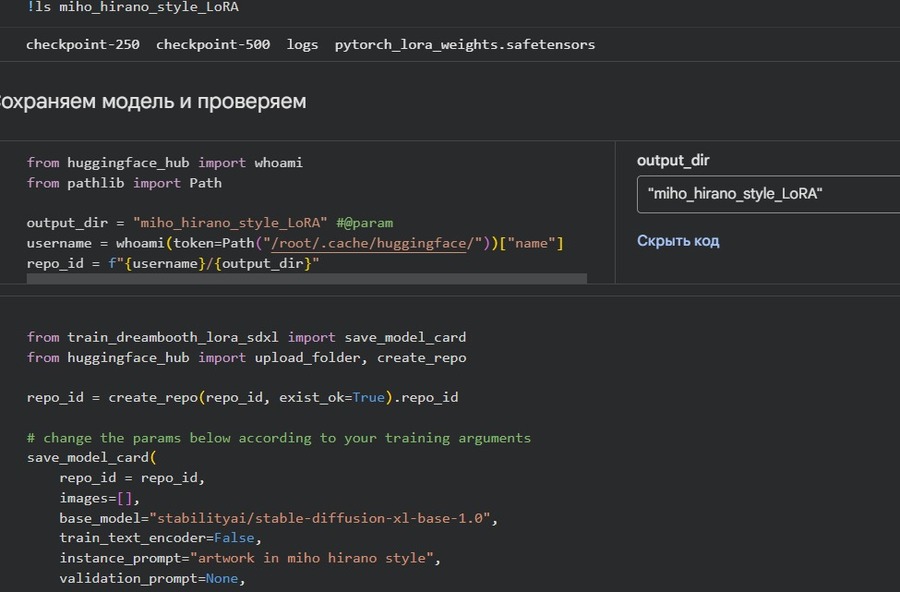
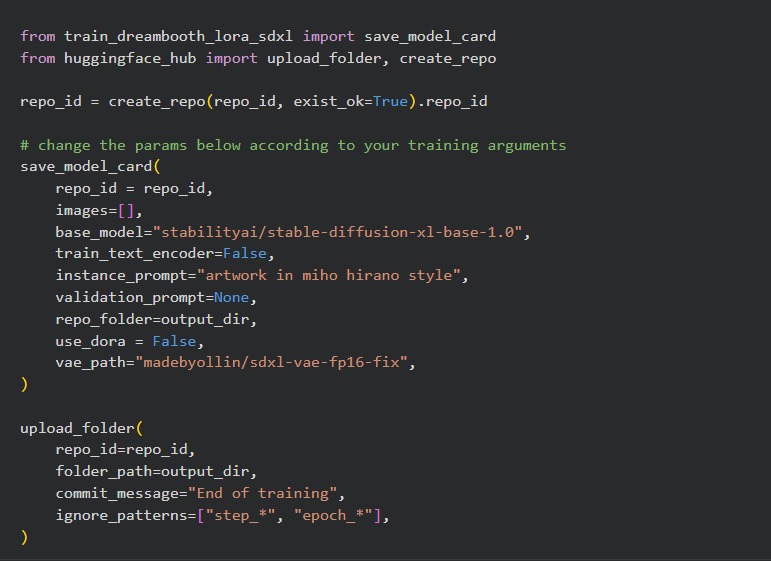
В конце я загрузила получившуюся модель на Hugging Face и приступила к генерации изображений.
Итоговые изображения
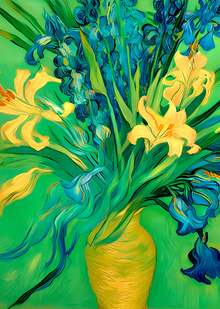
С помощью нейросети были сгенерированы изображений.
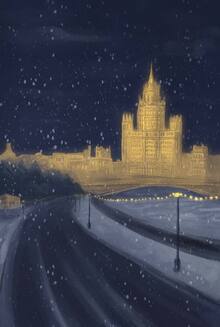
Как видно на примерах, искусственный интеллект точно передал характерные черты стиля художницы Михо Харано.
Мы используем файлы cookies для улучшения работы сайта и большего удобства его использования. Более подробную информац...
Показать больше
Press space bar to start a drag.
When dragging you can use the arrow keys to move the item around and escape to cancel.
Some screen readers may require you to be in focus mode or to use your pass through key
Press space bar to start a drag.
When dragging you can use the arrow keys to move the item around and escape to cancel.
Some screen readers may require you to be in focus mode or to use your pass through key
Press space bar to start a drag.
When dragging you can use the arrow keys to move the item around and escape to cancel.
Some screen readers may require you to be in focus mode or to use your pass through key
Press space bar to start a drag.
When dragging you can use the arrow keys to move the item around and escape to cancel.
Some screen readers may require you to be in focus mode or to use your pass through key
Press space bar to start a drag.
When dragging you can use the arrow keys to move the item around and escape to cancel.
Some screen readers may require you to be in focus mode or to use your pass through key
Press space bar to start a drag.
When dragging you can use the arrow keys to move the item around and escape to cancel.
Some screen readers may require you to be in focus mode or to use your pass through key
Press space bar to start a drag.
When dragging you can use the arrow keys to move the item around and escape to cancel.
Some screen readers may require you to be in focus mode or to use your pass through key
Press space bar to start a drag.
When dragging you can use the arrow keys to move the item around and escape to cancel.
Some screen readers may require you to be in focus mode or to use your pass through key
Press space bar to start a drag.
When dragging you can use the arrow keys to move the item around and escape to cancel.
Some screen readers may require you to be in focus mode or to use your pass through key
Press space bar to start a drag.
When dragging you can use the arrow keys to move the item around and escape to cancel.
Some screen readers may require you to be in focus mode or to use your pass through key
Press space bar to start a drag.
When dragging you can use the arrow keys to move the item around and escape to cancel.
Some screen readers may require you to be in focus mode or to use your pass through key
Press space bar to start a drag.
When dragging you can use the arrow keys to move the item around and escape to cancel.
Some screen readers may require you to be in focus mode or to use your pass through key
Press space bar to start a drag.
When dragging you can use the arrow keys to move the item around and escape to cancel.
Some screen readers may require you to be in focus mode or to use your pass through key
Press space bar to start a drag.
When dragging you can use the arrow keys to move the item around and escape to cancel.
Some screen readers may require you to be in focus mode or to use your pass through key
Press space bar to start a drag.
When dragging you can use the arrow keys to move the item around and escape to cancel.
Some screen readers may require you to be in focus mode or to use your pass through key
Press space bar to start a drag.
When dragging you can use the arrow keys to move the item around and escape to cancel.
Some screen readers may require you to be in focus mode or to use your pass through key
Press space bar to start a drag.
When dragging you can use the arrow keys to move the item around and escape to cancel.
Some screen readers may require you to be in focus mode or to use your pass through key
Press space bar to start a drag.
When dragging you can use the arrow keys to move the item around and escape to cancel.
Some screen readers may require you to be in focus mode or to use your pass through key
Press space bar to start a drag.
When dragging you can use the arrow keys to move the item around and escape to cancel.
Some screen readers may require you to be in focus mode or to use your pass through key
Press space bar to start a drag.
When dragging you can use the arrow keys to move the item around and escape to cancel.
Some screen readers may require you to be in focus mode or to use your pass through key
Press space bar to start a drag.
When dragging you can use the arrow keys to move the item around and escape to cancel.
Some screen readers may require you to be in focus mode or to use your pass through key