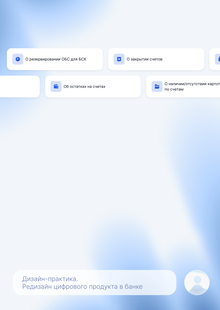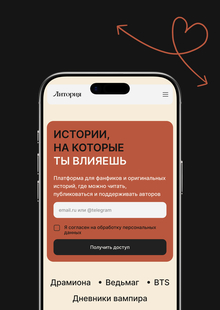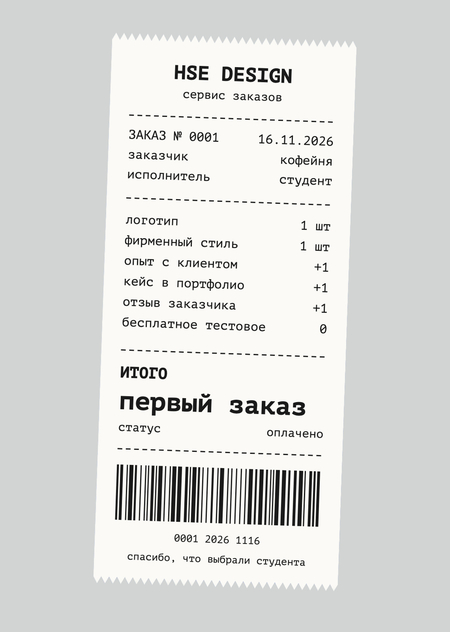
About the Project
Order Service — a new section within HSE Design where companies and private clients post briefs, and the School’s students respond with their portfolios. The client selects a contractor based on real work, and the student receives a paid project, client experience, and a new case study. The service builds upon existing platform features: student portfolios, the HSE AWARDS competition section, and the organizer form. The student’s name in the response links to their profile, and the outcome of the order becomes a case study in their portfolio. For this course project, we are designing the scenarios for both the client and the student, the interface, and the rules of their interaction. The result is a service concept and a Demo MVP of the key screens.
What problem are we solving?
Students lack their first paid projects, and clients with small budgets need accessible design assistance. A platform could connect them, but external tasks are currently only available through competitions. Students. Finding the first paid job is difficult: clients demand experience and commercial case studies, while seasoned designers compete for available projects. Without jobs, there is no experience; without experience, there are no jobs. Clients. Small companies, startups, and individuals need a designer’s help—for a logo, a poster, a presentation, packaging, and more. Studio services are often unaffordable, and searching for a freelancer randomly is risky. The Platform. HSE Design already features student portfolios and competitions, including those based on company briefs. However, in competitions, all participants work on the project, and only the winners receive compensation. A «select a freelancer and pay for the work» model does not yet exist.
Goals and Objectives
Goal — to design the concept and Demo MVP for an internal ordering service within HSE Design. The client publishes a task with a clear brief, the student applies with their portfolio, quickly finds out if they were selected, and spends energy only on confirmed orders.
Objectives:
- Analyze how the platform currently integrates external tasks: HSE AWARDS, contests based on partner briefs, the «Launch Contest» form, and the BRND marketplace.
- Define the entry points into the service for both students and clients.
- Design a landing page for clients and a brief builder tool.
- Conceptualize the response and execution selection process.
- Determine the roles and access levels for external clients.
- Describe the service entities and order statuses.
- Assemble the Demo MVP: entry point, grouped order feed, order card, and response mechanism.
What’s already available at HSE Design
The platform can already accept projects from companies and display student work, but only in a competition format. The service orders feature adds the missing format: the client selects a single contractor and pays for their work.
What we are incorporating into the order service: the structure of briefs from partner competitions, a form for organizers to use as the basis for the brief builder, direction tags from HSE AWARDS, and student portfolios as a showcase for talent.
How to Place an Order
Dashed line — the moment of choice: before it, the student spends time only on submissions; after it, they work on a commission that has already been assigned to them.
What does the service include?
The service is composed of four parts. Entry points guide the student and the client; the landing page and brief builder transform the client’s request into an order, and the showcase displays the orders and projects.
Entry Points. A Student accesses the service through the «Orders» tab within the contests section, alongside «Contests, ” „Partnership Contests, ” and „Open Calls.“ New orders tagged with their projects appear in their notifications. A Client accesses the service via the „Place Order“ button located next to „For Organizers“ and „Suggest a Contest.“
Client Landing Page. This page explains why one should collaborate with students from the School of Design: the types of challenges they take on, examples of completed orders, the order process, timelines, and payment terms. The primary call-to-action button is „Fill Out Brief.“
Brief Generator. A step-by-step form instead of one large field; it is based on the «Launch Contest» form and the sections of the partner contest page. The output is a complete order card, which is reviewed by the school curator. Steps: a. About the client: name, field, contact information. b. Task and direction: what needs to be done, tags. c. Deliverables: what to submit and in what format. d. Timeline and budget. e. References and requirements for the executor.
Order and Work Showcase. The order feed is grouped by disciplines—using the same tags found in HSE AWARDS and in the portfolio. Filters include budget, deadline, and scope (one-off task or project). For the client, the showcase displays student work relevant to the tags of their order, and completed orders are featured on the landing page as examples.
Response and Vendor Selection
The main rule of the service is: choice first, work second. Before selecting, a student spends time only on a short response, and saves their energy for the work once the client has chosen them. This distinguishes the service from a competition, where everyone completes the work, and the results are only known after the deadline.
- Respond in a few steps. A short message and 1–3 portfolio projects that fit the brief. The student can propose their price and timeline.
- No free trials. The client selects based on the portfolio; if they need a preliminary sketch, the sketch will be paid for.
- Timely responses. Every order has a deadline for receiving submissions and a deadline for selecting the contractor. If the client does not select anyone, the submissions are closed with the status «Not Selected.»
- Status is immediately visible. Submissions move through the statuses «Sent» → «Viewed» → «Selected» or «Not Selected.» These are visible in the student’s profile and appear in notifications.
- Mutual agreement. The selected student confirms they will take the project, and only then does the order transition into active work.The numbers and timelines in these guidelines are hypotheses—we will test them on a prototype.
Client Roles and Access
The client requires a dedicated role with restricted permissions: they should only interact with their own orders and responses. Currently, external organizations submit via the «Launch Contest» form, and the school contacts them manually; we have not found an organizer dashboard in the public section of the site. In the Demo MVP, the client operates without a dedicated dashboard—they complete a brief, the curator reviews the order, and a link to the responses is sent via email. In the full version, there will be a client account with permissions defined in the table.
Portfolio Link
Portfolio — the foundation of the service: the client selects a provider based on it, and the completed work is returned there.
The student’s name in the response and in the order card is a link to their HSE Design profile.
When responding, the student attaches projects from their portfolio instead of re-uploading files.
The finished work appears in the portfolio as a case study tagged «Order for…», with a link to the order and the client’s review. If the client objects to publication, the case study is hidden or is listed without the company name.
The order tags match the platform’s direction tags: the feed is filtered by the same keywords, and students receive orders based on the tags of their projects.
A «Completed Orders» section, including client ratings, appears in the student’s profile.
Order Entities and Statuses
Two entities have been added to our document: response and client profile. Without them, we cannot show who responded to the order or whether the client can be trusted.
Order statuses in sequence: